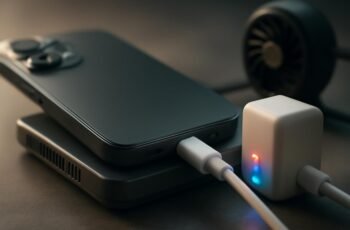
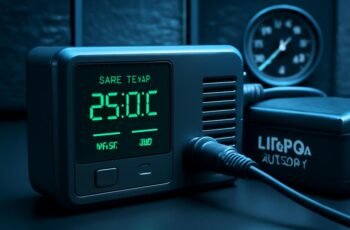
Monitoring charger performance with smart diagnostics tools involves real-time data collection, analysis, and actionable insights. We focus on voltage, current, temperature, and power metrics to detect anomalies early, optimize operation, and prevent failures. Understanding these systems requires attention to setup, data interpretation, and maintenance strategies. As we explore these components, you’ll see how precise diagnostics can notably enhance reliability and efficiency—but only if we understand how to leverage their full capabilities.
Key Takeaways
- Smart diagnostics track voltage, current, temperature, and power output in real-time for accurate performance monitoring.
- They assess the efficiency of components like inverters and charge controllers to identify potential issues early.
- Data transmission to centralized software enables precise fault detection and predictive maintenance planning.
- Monitoring state-of-charge, charge/discharge cycles, and storage health helps optimize energy storage management.
- Compatibility with various charger models ensures comprehensive diagnostics and reliable system performance.
How Do Smart Diagnostics Tools Monitor Charger Performance?
How do smart diagnostics tools effectively monitor charger performance? These tools analyze real-time data from the solar array, assessing voltage, current, and power output to ensure optimal energy conversion. They continuously evaluate the efficiency of each component, including the inverter and charge controller, detecting anomalies that could impair system performance. When integrated with battery storage systems, they monitor state-of-charge levels, charge/discharge cycles, and overall health to prevent overcharging or deep discharging. Data from sensors is transmitted to centralized software, enabling precise diagnostics and predictive maintenance. This detailed monitoring allows us to optimize energy flow, identify potential failures early, and enhance system reliability, ensuring maximum uptime and efficiency of the entire solar power setup.
Key Features to Look for in Charger Diagnostic Devices
When selecting charger diagnostic devices, compatibility with various charger models guarantees accurate diagnostics across different systems. Real-time data monitoring provides immediate insights into performance issues, while a user-friendly interface facilitates efficient interpretation of complex metrics. Prioritizing these features enhances diagnostic accuracy and operational efficiency.
Compatibility With Chargers
Ensuring compatibility between charger diagnostic tools and various charging devices is essential for accurate performance assessment. Compatibility influences diagnostic accuracy, as mismatched tools may produce unreliable data. When evaluating devices, consider their support for different charger types, voltage ranges, and connector standards. A versatile diagnostic tool should seamlessly interface with smartphones, tablets, laptops, and fast chargers. Compatibility issues can lead to misdiagnosis or overlooked faults, compromising the device’s reliability. Key features to look for include universal connector support, adaptable voltage detection, and firmware updates that broaden compatibility. Prioritizing these factors ensures precise diagnostics across diverse chargers, ultimately improving performance monitoring and maintenance accuracy. Proper compatibility is foundational to maximizing the diagnostic tool’s effectiveness and trustworthiness.
Real-Time Data Monitoring
What makes a charger diagnostic device truly effective is its ability to provide real-time data monitoring, allowing us to observe performance metrics as they happen. Accurate real-time data capture is essential for assessing charging efficiency and identifying potential issues promptly. Key features include low data latency, ensuring minimal delay between data collection and analysis, which is critical for dynamic performance adjustments. High-frequency sampling enables detailed insights into voltage, current, and temperature fluctuations during charging cycles. Reliable synchronization with the device’s monitoring system guarantees consistent, precise readings. This level of real-time monitoring facilitates swift diagnosis, optimizes charging protocols, and improves overall system reliability. Ultimately, it ensures that performance metrics are captured accurately and promptly, supporting efficient and safe charging operations.
User-Friendly Interface
How intuitive the interface of a charger diagnostic device is can markedly impact its usability and effectiveness. A well-designed user interface simplifies complex data, enabling quicker interpretation and decision-making. Key features include clear navigation, minimalistic design, and straightforward menus. Effective diagnostic alerts should be prominently displayed, reducing the risk of overlooked issues. Visual cues like color coding help differentiate statuses, ensuring immediate recognition of problems. Touchscreen responsiveness and customizable layouts enhance user engagement. Compatibility with various devices and software integration also streamline workflows. Ultimately, an intuitive interface minimizes training time and improves diagnostic accuracy, ensuring technicians can focus on precise maintenance rather than deciphering confusing controls. The combination of these elements ensures a diagnostic tool is both efficient and user-friendly.
Setting Up Your Smart Charger Diagnostics System
To effectively set up your smart charger diagnostics system, we need to identify the essential tools and equipment required for installation. Following a clear, step-by-step process ensures accurate configuration and optimal system performance. Let’s examine the specific components and procedures necessary for a precise setup.
Tools and Equipment Needed
Setting up a smart charger diagnostics system requires specific tools and equipment to guarantee accurate performance monitoring. Essential components include reliable testing devices and compatible interfaces. Key items are:
- Multimeter for voltage and current measurements
- Compatibility adapters for various charging sockets
- Power adapters with adjustable output for testing different devices
- Data logging tools to record performance metrics
- Connection cables and adapters for secure, stable links
These tools ensure precise readings and reliable diagnostics. Properly calibrated power adapters and adaptable charging sockets enable comprehensive testing across different equipment types. Maintaining high-quality connections minimizes measurement errors, ensuring accurate system assessment. Investing in appropriate, durable tools is critical for effective monitoring and troubleshooting, ultimately optimizing charger performance and longevity.
Step-by-Step Setup Guide
Establishing an effective smart charger diagnostics system requires a systematic approach to setup. First, ensure all hardware components are correctly connected, including sensors and communication modules, as specified in newtech reviews. Next, install the diagnostics software on a compatible device, configuring network settings for secure data transfer. Calibrate sensors to accurately monitor parameters like voltage, current, and temperature, optimizing real-time data collection. For energy storage systems, verify that data logging aligns with manufacturer guidelines to facilitate accurate performance analysis. Update firmware to the latest version to enhance system stability and security. Finally, conduct a test run to validate data accuracy and connectivity, making adjustments as necessary. A precise setup ensures reliable diagnostics, enabling proactive maintenance and optimal charger performance.
Interpreting Data: What Charger Performance Metrics Tell You
Understanding the key performance metrics of a charger is essential for accurate diagnostics and optimal operation. Data interpretation involves analyzing metrics trends such as voltage stability, current flow, temperature fluctuations, power efficiency, and error logs. These indicators provide insight into the charger’s health and performance consistency. Recognizing patterns in metrics trends helps identify early signs of degradation or malfunction. For example:
- Voltage and current fluctuations over time
- Temperature anomalies during operation
- Power efficiency variations
- Frequency and types of error codes
- Sudden changes in charging speed
Common Charger Issues Detected by Diagnostics Tools
Diagnostics tools can reveal a variety of common issues that compromise charger reliability. Fault detection often highlights problems such as overheating, faulty connections, or worn components that reduce energy efficiency. These tools can identify voltage irregularities, current fluctuations, and insulation failures, enabling us to pinpoint specific faults impacting performance. However, diagnostic limitations exist; some minor issues may evade detection or produce ambiguous results, affecting overall reliability assessments. Accurate fault detection ensures chargers operate within optimal parameters, maintaining energy efficiency and prolonging lifespan. Recognizing these issues early allows for targeted maintenance, minimizing downtime. Ultimately, diagnostics provide a detailed view of performance health, but it’s essential to understand their scope and limitations to make informed decisions about charger upkeep and reliability.
How to Use Diagnostics Data to Prevent Charger Failures
By analyzing diagnostics data effectively, we can proactively identify potential failure points before they escalate into major problems. Using accurate data interpretation allows us to predict issues related to charger maintenance, minimizing downtime and extending equipment lifespan. Key actions include:
- Monitor voltage and current fluctuations to detect early signs of component degradation
- Track temperature trends to identify overheating risks
- Analyze error codes for specific failure patterns
- Review historical performance data to anticipate recurring issues
- Implement preventive maintenance based on predictive insights
This approach ensures timely interventions, reduces unexpected outages, and optimizes charger reliability. Precise data interpretation transforms raw diagnostics into actionable insights, enabling us to maintain optimal performance and prevent costly failures.
Comparing Popular Smart Diagnostics Tools for Chargers
With the importance of accurate diagnostics data established, selecting the right smart tools becomes critical for effective charger management. Leading diagnostics solutions, such as DeviceX and PowerCheck, excel in delivering high data reliability, ensuring real-time insights into charger health. DeviceX offers optimal monitoring efficiency through detailed analytics, enabling rapid identification of potential issues. PowerCheck emphasizes diagnostic accuracy by integrating advanced sensor technology, reducing false positives and overlooked faults. Both tools provide granular data, essential for precise maintenance decisions. When comparing these options, consider their ability to reliably track charger health, the clarity of data presentation, and their responsiveness to evolving diagnostic needs. Choosing the appropriate tool directly influences the effectiveness of your monitoring strategy, ultimately ensuring comprehensive charger performance and longevity.
Tips for Maintaining Peak Charger Performance Over Time
Ever wondered how to guarantee your chargers operate at peak efficiency over time? Consistent maintenance ensures optimal energy storage and reliable wireless charging performance. To achieve this, regularly inspect connections for corrosion or wear, as compromised contacts can hinder energy transfer. Keep firmware updated to leverage the latest diagnostics and efficiency improvements. Ensure proper alignment during wireless charging to prevent energy loss. Avoid exposing chargers to extreme temperatures, which can degrade internal components. Finally, monitor usage patterns with smart diagnostics tools to detect early signs of performance decline.
Regular maintenance and proper alignment keep your chargers efficient and reliable over time.
- Clean charging contacts and pads periodically
- Verify firmware updates for compatibility and security
- Maintain proper device alignment during wireless charging
- Store chargers in a temperature-controlled environment
- Use diagnostic data to preemptively address issues
Troubleshooting Problems When Diagnostics Indicate Poor Performance
When diagnostics indicate poor performance, it’s essential to systematically identify the root cause to restore optimal functionality. We follow a structured troubleshooting approach to minimize downtime and maximize energy savings. First, verify power connections and ensure no physical damage exists. Next, analyze diagnostic logs for error codes pointing to component failures or calibration issues. Conduct quick maintenance like cleaning contacts and updating firmware. If problems persist, assess load conditions and environmental factors affecting performance. To assist, here’s a troubleshooting guide:
| Step | Action | Expected Outcome |
|---|---|---|
| 1 | Check power supply | Stable voltage, no interruptions |
| 2 | Review diagnostic logs | Identify specific errors |
| 3 | Perform quick maintenance | Clean contacts, update firmware |
| 4 | Measure load | Ensure load matches specifications |
| 5 | Inspect environment | Minimize temperature and humidity effects |
This precise method ensures efficient problem resolution and sustained energy savings.”
Frequently Asked Questions
Can Smart Diagnostics Tools Diagnose Physical Damage to Chargers?
Smart diagnostics tools primarily focus on performance and electrical issues, but their diagnostic limitations mean they can’t reliably assess physical damage to chargers, such as internal component breaks or external physical wear, which requires manual inspection for accurate physical damage assessment.
Are Diagnostics Tools Compatible With All Charger Brands and Models?
Diagnostics tools have compatibility limitations; they often support only specific brands and models due to proprietary protocols, affecting brand interoperability. We recommend verifying each tool’s compatibility with your charger’s brand and model before use for optimal performance.
How Often Should I Run Diagnostics on My Charger?
We recommend running a mini diagnostic monthly to monitor battery health and ensure ideal charger performance. Regular assessments help detect issues early, maintaining efficiency and preventing potential failures, especially in high-use or critical applications.
Do These Tools Require Technical Expertise to Operate Effectively?
We find these tools often don’t require deep technical expertise, as manual testing and data visualization simplify diagnostics, making it accessible for most users. However, understanding underlying data patterns enhances effective operation and interpretation.
Can Diagnostics Data Help Extend My Charger’s Overall Lifespan?
Yes, diagnostics data can help extend your charger’s lifespan by identifying issues early, reducing diagnostics cost, and avoiding warranty implications. Regular monitoring enables timely maintenance, ensuring optimal performance and preventing costly repairs or replacements.
Conclusion
In mastering smart diagnostics tools, we unbind the power to transform our charger management from mere maintenance to near-omniscient oversight. With real-time data and predictive insights at our fingertips, we can preempt failures before they manifest as catastrophic system outages. This technology isn’t just a tool—it’s our guardian against the chaos of unexpected downtime, ensuring peak performance with relentless precision. Embracing it means safeguarding our investments and maintaining uninterrupted power in an increasingly electrified world.